Storage
Bigger Hard Drives Are Coming. Will They Work in Your Storage System?
Seagate’s latest interoperability announcement puts a familiar buying question back in focus: capacity only helps when the complete storage system supports it.
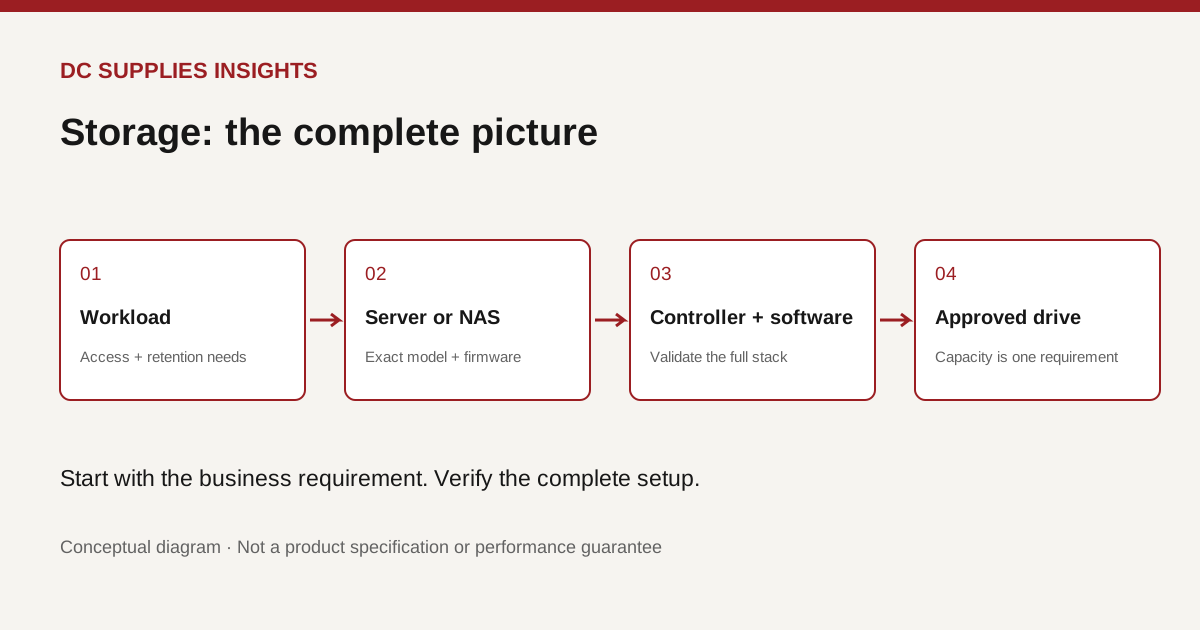
Is the biggest drive the simplest upgrade?
A storage warning appears, the team needs more space, and a larger hard drive looks like the obvious answer. But a capacity upgrade is also a compatibility decision. The useful question is not just how many terabytes fit in a bay; it is whether the complete system can use and support the proposed drive.
On October 26, Seagate announced an interoperability milestone involving its Mozaic HAMR drives configured with SMR and Broadcom host bus adapters. Seagate also reported qualification of that configuration by Microsoft Azure Storage. This is a vendor announcement about a particular infrastructure combination, not proof that the same drives work in every office NAS.
For smaller businesses, the lesson is the importance of qualification itself. Large operators validate the complete arrangement. A smaller purchasing team should ask for the same kind of clarity at an appropriate scale.
Know which question the terminology answers
HAMR and SMR are not interchangeable labels. In Seagate’s announcement, HAMR describes the recording technology used by the Mozaic platform, while SMR describes a way of arranging tracks more densely. A headline about one combination should not be generalized to every product in a drive family.
Seagate’s CMR and SMR guidance explains that host-managed SMR depends on a compatible software stack and controlled write behavior. It identifies sequential or readily sequentialized workloads as suitable candidates. That is a reason to verify the exact drive type and implementation; it is not a reason to assume all SMR drives behave identically.
If the supplier’s description is unclear, stop at the model number. Request the manufacturer’s data sheet and compatibility evidence before treating a capacity figure as a purchase decision.
Build a compatibility packet before requesting prices
Our recommended starting packet is deliberately small: the server or NAS model, current firmware, controller model, existing drive part numbers, and a description of the workload. Include whether this is an expansion, a replacement after failure, or a completely new system. Those are different purchasing situations.
For a NAS, check its manufacturer’s approved-drive list. Seagate’s NAS guidance explicitly recommends that check. For a server, ask the system supplier to confirm the supported drive, controller and firmware combination. Do not treat a retailer’s broad category label as the final compatibility authority.
Request the answer in writing as part of the quote. This helps prevent a well-intentioned substitution from changing the configuration after someone has already approved the original part.
Price the migration as well as the capacity
Imagine a design business whose shared storage is almost full. The initial request might be “buy larger drives.” A better proposal would also specify who moves the data, what maintenance window is needed, how the team checks its files afterward, and what happens if the migration cannot finish on time.
Ask the installer to state the usable capacity expected after the chosen storage layout and system overhead. Compare that figure with current usage and a documented growth estimate. Keep assumptions visible: a plan based on one year’s growth can be quite different from one intended to support a new video-production workflow.
Give recovery its own acceptance check. Before changing the production system, ask for evidence that the required data can be restored from a separate backup. Extra space and a recovery plan solve different business problems; the purchase discussion should cover both.
Use a trial to answer the expensive questions
For a larger refresh, propose a limited evaluation with representative work. Have the team define which activities matter: opening a project, saving a large file, completing a backup or restoring a folder. Record the conditions so comparisons mean something.
A supplier demonstration should answer your workload questions, not merely display a large capacity number. Also clarify warranty coverage, replacement arrangements, firmware support and whether a spare must match a particular approved configuration. These are practical evaluation questions, not claims that any one drive will be faster or safer.
Where DC Supplies fits
Start with the store’s hard drives, storage devices and controllers categories. Share the compatibility packet when asking for a quote so the conversation begins with your system, rather than with an isolated specification.
These links identify relevant product categories. They do not imply that the newly announced Seagate and Broadcom configuration is stocked or qualified for your environment. Confirm the exact part, condition, availability and support terms before ordering.
The question worth taking to your next storage review: can we show that this upgrade is supported from the application all the way down to the drive?
References
- Seagate, interoperability announcement, October 26, 2026; linked above.
- Seagate, CMR/SMR guidance and NAS compatibility guidance; undated background pages, accessed October 29, 2026.
- DC Supplies category listings; accessed October 29, 2026.
Original DC Supplies diagram: a compatibility review sequence, not a certified hardware architecture. All sources checked October 29, 2026.