Networking
Upgrading Business Wi-Fi? Check the Switch Before Buying More Access Points
This week’s wireless discussion is a reminder to budget for the complete connection: access points, switch ports, PoE, cabling and support.
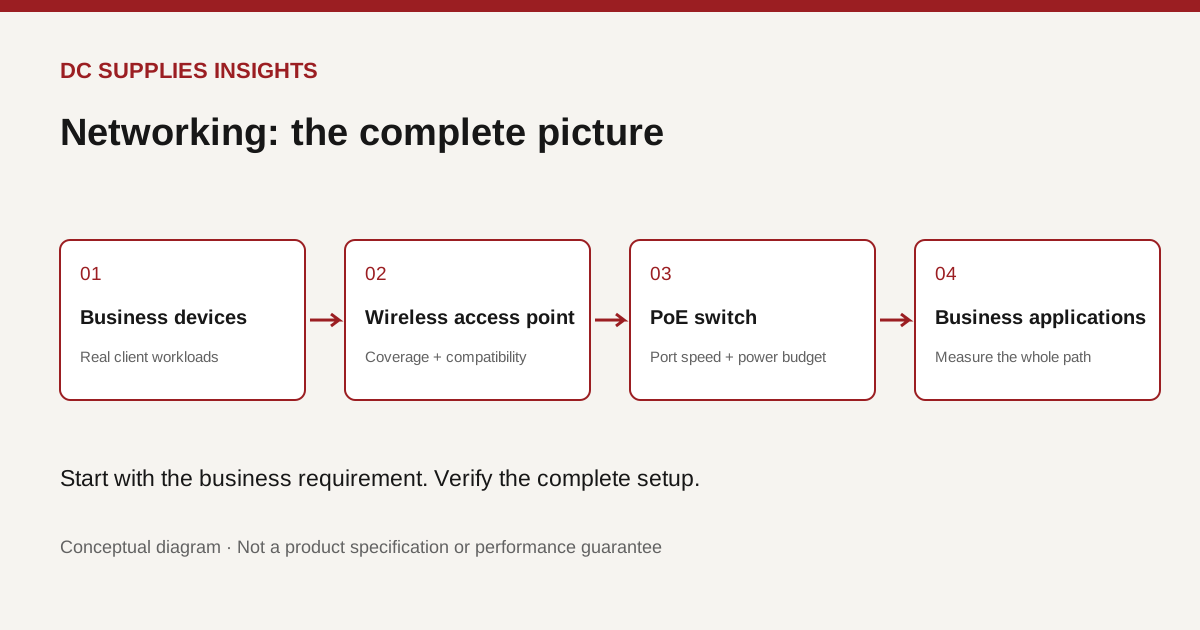
Why does a new access point sometimes leave the same old problem?
Buying newer wireless hardware is easy to understand. Explaining why the video meeting still freezes afterward is harder. For a small business, the useful question is whether the whole connection can support the work, from the employee’s device to the application it uses.
On October 28, Cisco published a wireless planning discussion for growing businesses. It connects the current Wi-Fi conversation to operating complexity and real business needs. Our purchasing takeaway is straightforward: treat a wireless refresh as an infrastructure decision, with the switch and power budget included from the start.
Separate the symptom from the purchase
Before requesting a quote, write down one problem in observable terms. “The meeting room loses calls when twelve people join” is more useful than “the Wi-Fi is slow.” Include the location, time, device types and application. Ask the installer to reproduce that situation before recommending equipment.
Consider an illustrative office with reliable internet service but an inconsistent conference room. Replacing every access point might be unnecessary. A useful evaluation would compare a wired device with a wireless device, then repeat the test at a busy time. The goal is to establish which part of the path deserves the next dollar, rather than turning a complaint directly into a shopping list.
The wired side belongs in the quote
An access point connects to the rest of the network through a wired port. HPE’s Smart Rate technical overview explains multi-gigabit Ethernet and shows why supported port speeds, cable conditions and power delivery all matter. Its specifications vary by model; a brand name alone does not establish a particular switch’s capabilities.
Ask the supplier to show the proposed access point’s Ethernet requirement beside the exact switch port specification. A connector that fits is not proof that both ends support the intended speed. Likewise, a faster port is not a promise that an individual laptop or internet connection will become faster.
For the quote review, request a simple cable and port map. Which existing runs will be reused? Which will be tested? Which switch uplink carries the combined traffic? Documenting those answers before installation gives purchasing and IT the same picture of what the project includes.
Give power its own line item
Power over Ethernet, or PoE, supplies power through the network cable. The HPE overview distinguishes port speeds from supported PoE capabilities and notes that higher-power options apply to selected models. Check both the access point’s required power mode and the switch’s available power, rather than assuming every PoE port is equivalent.
Our suggested quote worksheet has three columns: device, required power and assigned port. Add every powered endpoint, including phones or cameras sharing that switch. Then ask the installer to document the total budget and the margin reserved for expansion. This is a planning exercise, not an instruction to buy the largest power supply available.
Compare a complete deployment, not two box prices
Create two proposals: the smallest change that addresses the measured issue, and a broader refresh that covers the next planned business change. Include mounting hardware, licenses, support, installation and any necessary cabling in both. Ask what happens to management and support if a subscription is not renewed.
Define acceptance before ordering. For example, agree to test the meeting application with the expected number of participants, confirm the installed equipment list, and hand over the management details to the designated owner. Those are proposed acceptance steps, not a benchmark or a guarantee of performance.
Where DC Supplies fits
DC Supplies lists networking equipment, cables and several HPE Aruba switches. One listed example is the R8N85A CX 6000 switch. That listing is a starting point for a compatibility discussion, not a recommendation that this model meets every new access point’s requirements.
Send the team your access point model, device count and existing switch details before choosing a replacement. Confirm availability, the manufacturer’s specifications and the final configuration with your installer.
The best question for your next refresh meeting: what evidence would convince us that replacing the access points alone will solve the problem?
References
- Cisco, wireless planning discussion, October 28, 2026; linked above.
- HPE, Smart Rate technical overview, copyright 2024; background documentation, not a new announcement.
- DC Supplies category and product listings; accessed October 29, 2026.
Original DC Supplies diagram: a simplified connection path, not a wiring plan or performance prediction. All sources checked October 29, 2026.